Key points
- Most passport-number rejections come from scan misreads, wrong numbers, extra characters, or a mismatch with the passport's machine-readable zone.
- Enter the number exactly as printed on the photo page and in the MRZ, with no spaces, hyphens, or substituted characters.
- A UK ETA is tied to one specific passport number, so a renewed or replaced passport means a fresh application.
- If the app keeps failing, the GOV.UK web form is the usual fallback, and iVisa can pre-check the entry before submission.
What is the UK ETA and who needs it?
The UK ETA (Electronic Travel Authorization) is a digital pre-travel approval for visa-exempt nationals visiting or transiting the United Kingdom. To apply, you need a valid passport, a recent photo, correct contact details, and payment of the official UK government fee.
Many applicants run into trouble entering their passport number or scanning their passport through the official UK ETA app. The UK government offers a mobile app for applying, but you can also submit the ETA through an online form.
Why is my passport number rejected by the UK ETA app?
A few common causes lead to passport number rejection:
| Issue | Description |
|---|---|
| OCR/scan error | The app may misread “O” as “0” or “I” as “1” because of lighting or glare |
| Wrong number | Travelers enter their national ID or an old passport number |
| Extra characters | Dashes, spaces, or hidden characters from copy-paste or autofill trigger rejections |
| MRZ mismatch | The scanned number has to match the Machine-Readable Zone |
A single wrong digit can invalidate your UK ETA application.
What are the correct UK ETA passport number requirements?
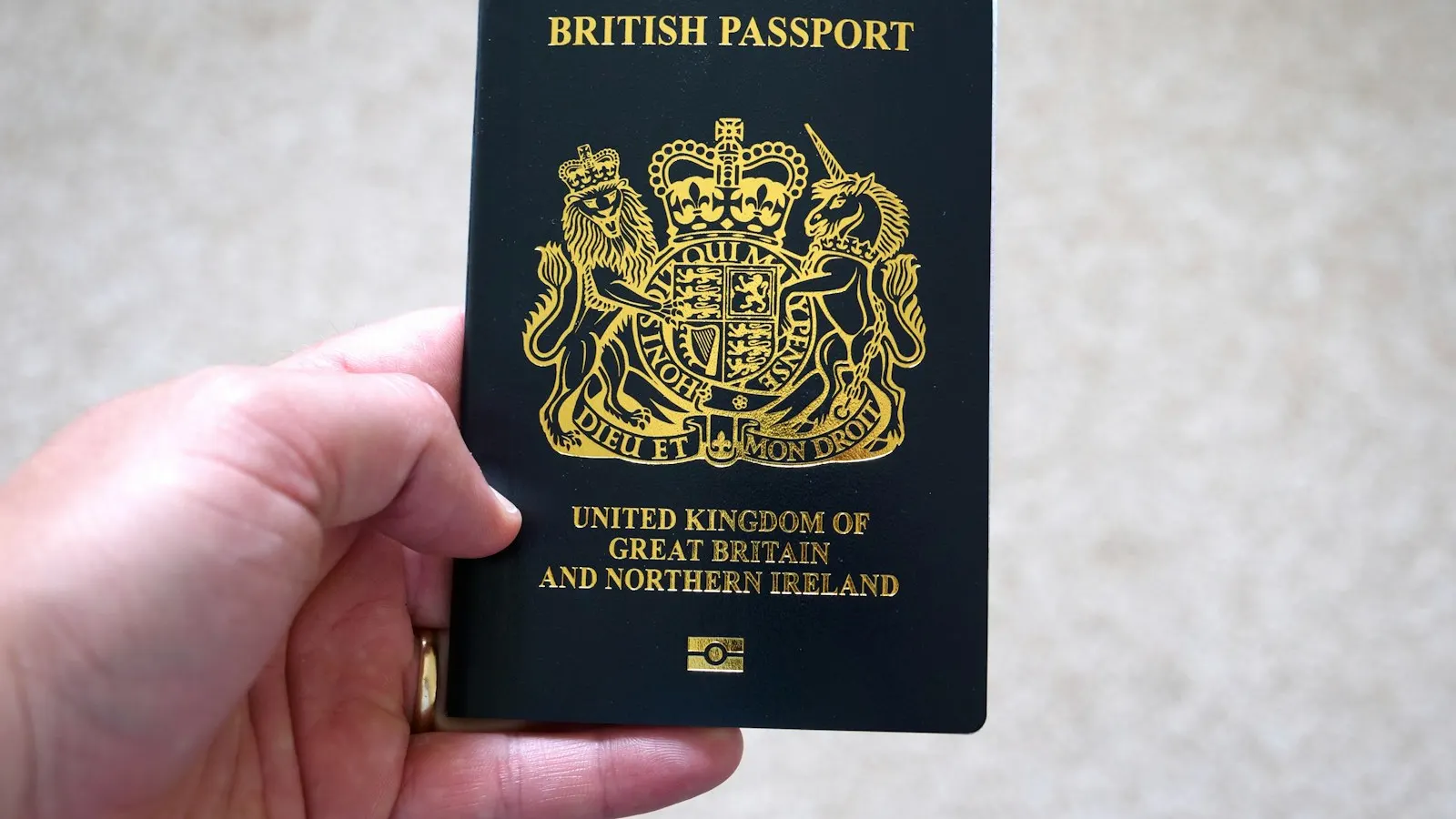
You must apply using the physical passport you will travel with, and enter the passport number exactly as printed on the photo page and encoded in the machine-readable zone (MRZ), with no spaces, hyphens, or extra characters.
The ETA is digitally linked to that specific passport, so any mismatch, even one character, can trigger a rejection. If you renew or replace your passport, you will need to apply again with the new number.
How to format your passport number correctly (with examples)
Enter only the passport number, exactly as it appears in your passport’s Machine-Readable Zone (MRZ) — the two lines of letters, numbers, and symbols at the bottom of the photo page. Do not type the whole MRZ: copy just the document-number field from it.
Formatting rules:
- Use only the alphanumeric characters exactly as printed.
- Do not add spaces, hyphens, or punctuation.
- Do not substitute similar characters (such as “O” for “0” or “I” for “1”).
- Always use the passport number, not a national ID or another identifier.
- If your passport shows multiple numbers, use the one labeled “Passport No.” or found in the MRZ lines.
Examples of correct formatting:
| Passport shows | Correct entry | Incorrect entry | Why it’s wrong |
|---|---|---|---|
| C01X00T7 | C01X00T7 | C01X00T-7, C0IXOOT7 | No hyphens; “0” (zero) mistaken for “O” (letter) |
| 987654321 | 987654321 | 987 654 321 | No spaces allowed |
| AA1234567 | AA1234567 | AA 1234567, AA-1234567 | Must match exactly; no spaces or dashes |
Step-by-step: how to solve passport errors in the UK ETA application
- Make sure you are using the correct passport, not a personal ID or an expired document number.
- Hold the passport flat under natural light to reduce glare.
- Enter the numbers manually to avoid autofill errors.
- Match every character to the MRZ line (the two MRZ lines of letters, numbers, and filler characters at the bottom of the passport bio page).
- Reinstall the app.
- If that still fails, try the GOV.UK web-based form or use iVisa.
How can iVisa help fix UK ETA passport issues?
iVisa has worked with thousands of travelers who ran into these problems. The service’s application review combines a manual check with modern technology to catch common mistakes before an application is sent.
Flagging passport number formatting issues: one traveler’s passport number was auto-filled with a capital “O” instead of a zero, which led to repeated rejections. iVisa caught the mistake early and corrected the entry before submission.
Bypassing UK ETA app glitches: another traveler’s app froze during the face-scan stage but completed the process smoothly through iVisa’s application option, which does not require a face scan.
FAQs: UK ETA and passport number issues
Why won’t the UK ETA app accept my passport number?
Typical causes include using the wrong number (the booklet code instead of the MRZ number), character confusion (O/0, I/1), punctuation or lowercase letters, using an expired document, and unreadable chips or ineligible passport types. Nationality eligibility can also block a submission.
The UK ETA app won’t accept my passport number. Can I apply elsewhere?
Yes. The UK government lets you apply either in the UK ETA app or on the official GOV.UK website, and the web form is the usual fallback when the app refuses a passport number.
Can I correct my passport number after submitting an ETA application?
No. Once submitted, your ETA is digitally tied to that passport number. You will generally need to submit a new ETA application and pay the official government fee again.
What number in my passport should I enter?
Use the passport number printed on the photo page, which also appears in the Machine-Readable Zone (the two lines of letters, numbers, and filler characters at the bottom of the bio pages). Do not enter your national ID number or a previous passport number.
What if my UK ETA was rejected because of the wrong number?
You will need to reapply for a UK ETA. The ETA is tied to the exact passport number used during the application.
Can iVisa help me get the UK ETA if I’ve already failed on the app?
Yes. Whether the issue involved your passport number, photo upload, or a scan error, iVisa helps troubleshoot the problem and reapply correctly.
My passport shows two numbers. Which one goes into the ETA form?
Use the passport number exactly as it appears in the machine-readable zone (MRZ) on the photo page. Ignore cover or booklet numbers. The MRZ sequence aligns with the data structure the ETA system validates.
What if I have an emergency or temporary passport?
Emergency or temporary travel documents may not be eligible for the UK ETA, and their NFC chip or machine-readable standards can differ. You might need to apply for the appropriate UK visa instead, such as a UK Standard Visitor Visa.
How long does a UK ETA decision take once the number is accepted?
Most decisions are quick, but the UK advises allowing up to three working days. Delays can happen if additional checks are needed.
Will my UK ETA still be valid if I renew my passport?
No. A UK ETA is linked to the passport number used in the application. If you renew or replace your passport, you will need to apply for a new ETA using the new number.
Are ETA fees refundable if my data was wrong?
Official UK ETA government fees are typically non-refundable once your application is processed. iVisa focuses on preventing mistakes upfront to reduce the cost of reapplying.
Can iVisa submit the ETA on my behalf?
Yes. iVisa can prepare, pre-check, and guide you through the application, improving accuracy and confirming eligibility while helping resolve app errors.