Key points
- Most UK ETA photo upload failures come down to file format, file size, or biometric issues like background, glare, or filters.
- The official system checks your photo automatically, and a single problem can trigger an instant rejection.
- Photos must be JPEG, 600px by 750px, and between 50KB and 10MB, on a plain light background with neutral expression.
- Apple HEIC and Live Photo files are a frequent cause of failed uploads and need converting to JPEG first.
- If the app keeps rejecting your photo, you can apply through the official UK site or use iVisa's assisted submission.
Plenty of travelers hit a wall at the photo step of the UK ETA application. The good news is that most of these errors are fixable within a few minutes once you know what the system is checking for. This guide walks through the official requirements, the most common upload problems, how to take a compliant photo yourself, and what to do when the app simply won’t cooperate.
The requirements here are guidance based on the current UK ETA rules. Always check the official UK ETA channels for the authoritative specifications before you submit.
What are the official UK ETA photo requirements?
Your photo needs to meet the following specifications:
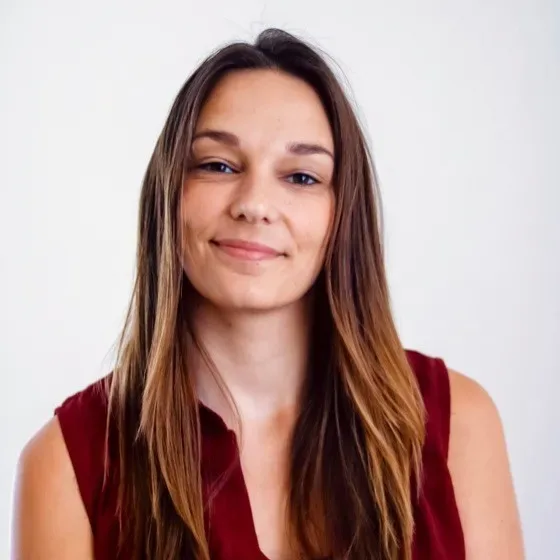
- In colour, focused, and unedited, with no filters
- A plain, light background such as cream or light grey
- Natural, even lighting with no harsh shadows
- Facing the camera directly, with your head and shoulders visible
- A neutral expression, mouth closed, eyes open
- Religious or medical headwear and glasses only where genuinely needed
- Dimensions of 600px by 750px
- A file size between 50KB and 10MB, in JPEG format
The system automatically checks all of the above, and a single discrepancy can lead to an instant rejection.
How do I fix common UK ETA photo upload errors?
Upload problems fall into two groups: technical issues with the file itself, and biometric issues with what the photo shows.
Technical file issues
| Issue | Fix | How iVisa can help |
|---|---|---|
| Wrong format (HEIC / Live Photos) | Use JPEG | Automatically converts to the correct format |
| File size over 10MB rejected | Compress lightly | Adjusts the size automatically |
| App freezes or glitches | Clear the cache or try Chrome | Suggests an alternative device or browser |
| Network timeouts | Use stable Wi-Fi and disable your VPN | Helps prevent connection drops |
Biometric rejection issues
| Issue | Fix | How iVisa can help |
|---|---|---|
| Dark or obstructed background | Use a plain background with even, natural light | Corrects dark or busy shots |
| Filters applied | Remove all filters and blur | Detects and corrects edits |
| Glasses with glare | Use clear lenses with no tint | Reduces glare |
| Prohibited headwear | No hats; coverings only if the face is visible | Flags the issue and gives retake tips |
| Poor framing | Keep your head straight, full face, neutral expression | Checks framing and adjusts |
How to take the UK ETA photo yourself using a phone
You don’t need a studio. A phone and a bit of daylight are usually enough.
- Setup. Position yourself indoors facing a window, standing at roughly arm’s length from a plain, light-coloured wall.
- Positioning. Hold the phone at eye level, about 45 to 60 cm from your face. If you can, use the rear camera with a timer for a sharper result.
- Expression. Look straight at the camera with your eyes open, mouth closed, and a neutral expression.
- Clothing. Avoid uniforms, busy patterns, or anything that covers your neck and shoulders. Remove glasses, or make sure there is no glare on the lenses.
Good lighting and framing solve about 90% of photo errors.
Photos for children
Older children should follow the same positioning as adults: 45 to 60 cm from the wall, facing a window. For infants, lay the baby on a plain white sheet on the floor or a bed. Make sure no hands, toys, or objects appear in the frame, only the face and shoulders.
How can iVisa help with photo errors in the UK ETA app?
iVisa is a private travel-document service, not a government body. If the official photo step keeps failing, iVisa’s tools are built to catch and correct the issues that usually cause rejections:
- Automatic background optimization and auto-crop
- Biometric validation, including head size, eye position, facial symmetry, and expression
- HEIC-to-JPEG conversion and smart compression
- Human review for edge cases
Note that iVisa charges a service fee for its assistance, which is separate from any government fee for the UK ETA itself.
Real traveler experiences with iVisa
- Sarah from Canada. Her photo was rejected three times because iPhone portrait mode added a subtle blur. iVisa caught the portrait mode issue immediately, and her application was approved the same day.
- James from Australia. The official app’s face scan froze after two days of trying. He switched to iVisa, where the process didn’t require face scanning at all.
- Maria from the US. She struggled to photograph her two young children on the official app. She found the guidance clear and practical, and all three ETAs were approved within 24 hours.
FAQs: Solving UK ETA photo issues
What are the official UK ETA photo requirements?
The photo must be in colour, sharp, and free of filters, on a plain light background with even, natural lighting. Face the camera directly with your head and shoulders visible, eyes open, mouth closed, and a neutral expression. Headwear and glasses are only accepted for religious or medical reasons. The file must be JPEG, 600px by 750px, and between 50KB and 10MB.
How do I fix common UK ETA photo upload errors?
For technical fixes, use JPEG, keep the file under 10MB, clear your cache or switch to Chrome, and use stable Wi-Fi without a VPN. For biometric fixes, use a plain light background, remove filters and blur, avoid glare on glasses or remove them, avoid hats while keeping your full face visible, and keep the framing straight and centered with a neutral expression.
Can I use a selfie for my UK ETA photo?
Yes, a selfie is acceptable if it meets the biometric and file standards. Many phones add portrait blur or live effects that cause rejections. iVisa guides you through a clean capture and can automatically correct crop, exposure, and background.
What if the UK ETA site won’t accept my file type?
Apple devices often save images as HEIC or with Live Photo data, which causes upload failures. Converting to JPEG and re-uploading usually solves the problem. iVisa’s photo tool handles this conversion automatically.
Do glasses, hats, or head coverings cause rejections?
Glasses are acceptable without glare, tint, or frame obstruction. Hats are not allowed. Head coverings are only permitted for religious or medical reasons, and your full face must remain visible.
Are there specific size or resolution rules I must follow?
The file should be a minimum of 50KB and a maximum of 10MB, in JPEG format. Rather than guessing at the dimensions, you can let iVisa format your photo to UK-style biometric requirements.
I couldn’t upload my photo on the UK ETA app. Can I use another service?
You can apply through the official UK website instead of the app. iVisa also offers assisted submission when the official tools error out, with expert review and flagged issues.
Can iVisa submit my entire UK ETA if my photo keeps failing?
Yes. iVisa can manage the full ETA process, including photo creation, checking your details, and submitting to the UK authorities. This helps reduce errors across both the photo and application stages.
Does the photo need to match my passport photo?
No. Your ETA photo can differ from your passport photo. It should be recent and reflect your current appearance.
The app camera step is freezing or crashing. What can I do?
Try closing and reopening the app, checking your camera permissions, switching networks (Wi-Fi to mobile data or back), and clearing phone storage. If it still won’t work, you can apply via the official UK website or through iVisa.
I submitted the wrong photo. Can I change it?
Before payment and submission, you can go back and replace it. After submission you cannot edit the ETA application, and you would need to submit a new application with the correct photo. iVisa flags inconsistencies before submission so you can catch them early.
Need the UK ETA quickly?
If you can’t get past the photo uploading step, iVisa offers a simplified UK ETA application to help you complete the process.